If you are at risk of being turned off or have already been disconnected, please take note of the payment confirmation number so that we may verify the payment. Be sure to call us before 3 p.m. so we can issue the turn-on.
What’s the fastest way to pay for reconnection? The most immediate account payment method is using our My Account portal with a credit card or eCheck.
Within My Account, the “Cash” option allows you to pay in person at these locations: 7-Eleven, ACE Cash Express, CVS, Family Dollar, Food Lion, Giant Eagle, Kroger, Love’s, Meijer, Speedway, Walgreens, and Winn-Dixie. To pay at these locations, a payment barcode is needed.
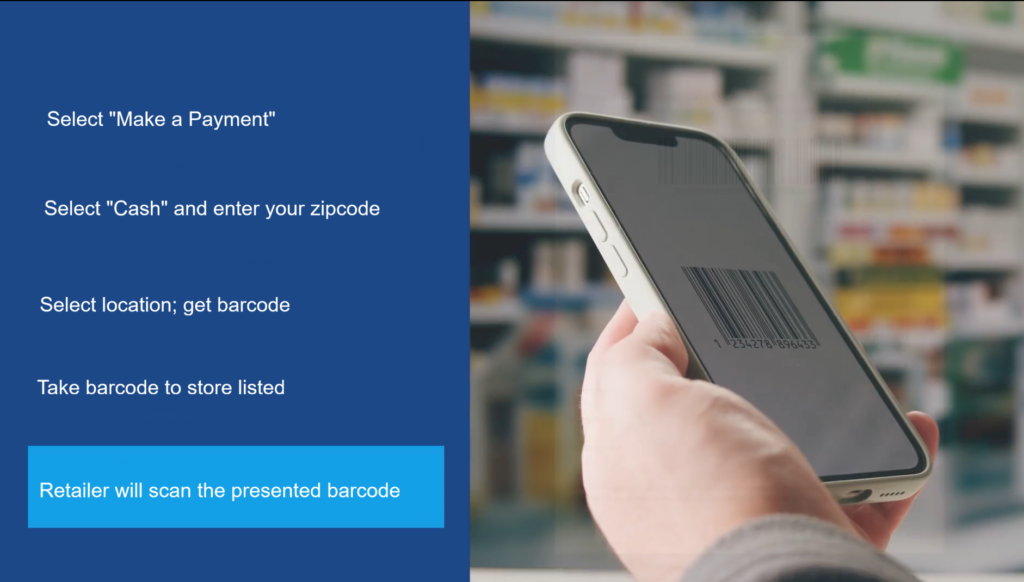
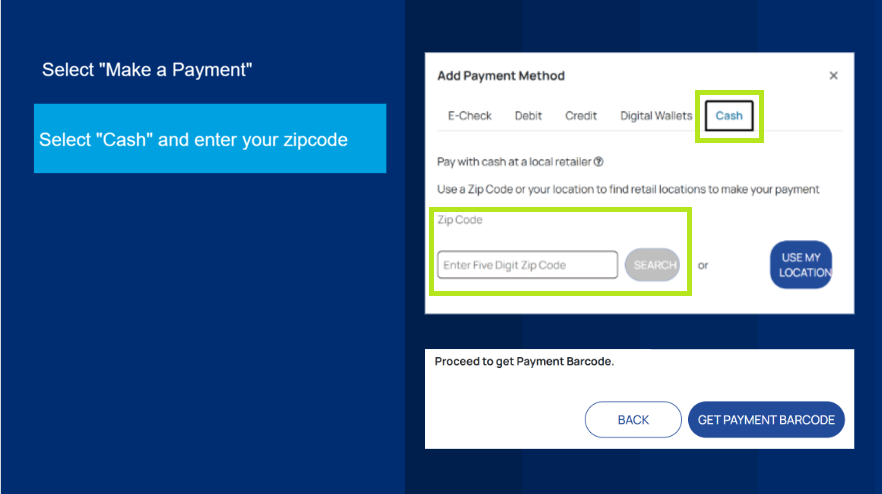
Here’s how to make a payment at any of the locations mentioned above (print this page if you would like these instructions for reference):
Visit account.mywater.us and log in.
WATCH: How to sign up for My Account
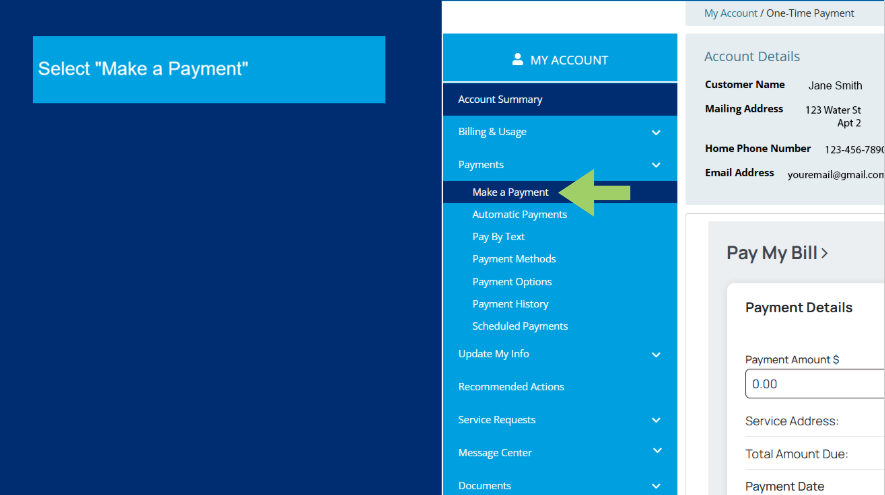
Enter the amount to pay, and choose a retail location from the provided list to make the payment.
You must present the barcode to the retail location previously selected to make your payment.
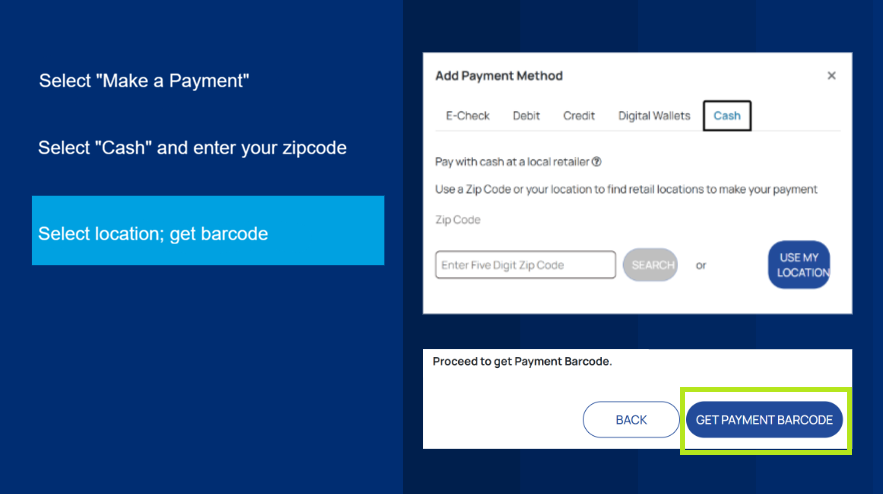
When following the prompts with the “Cash” payment option, you will be asked how much you would like to pay in person and where you would like to complete the payment. The payment barcode will then generate the amount and location you have selected. You must bring and present the payment barcode to continue with the payment option. The payment barcode is valid only for the selected store, and the amount stated must be paid in full. The payment barcode will not work at another store.
Additionally, the payment barcode is valid for only 24 hours. Once expired, you will need to generate a new payment barcode.
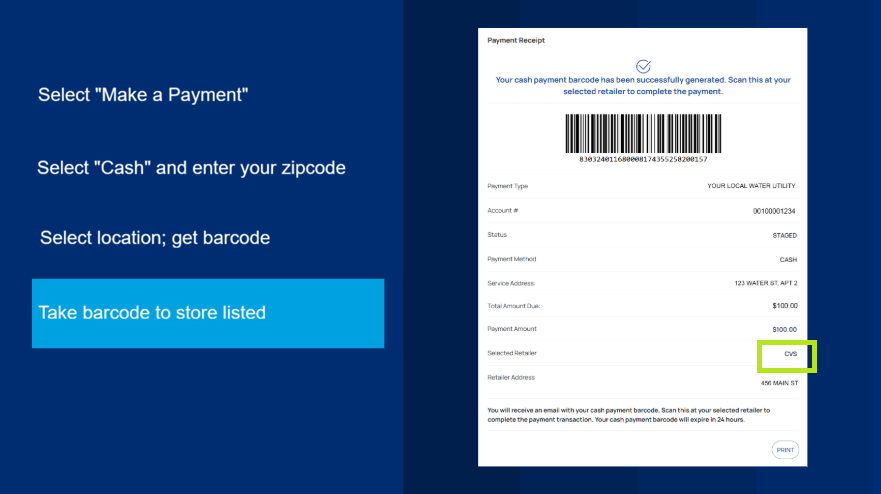
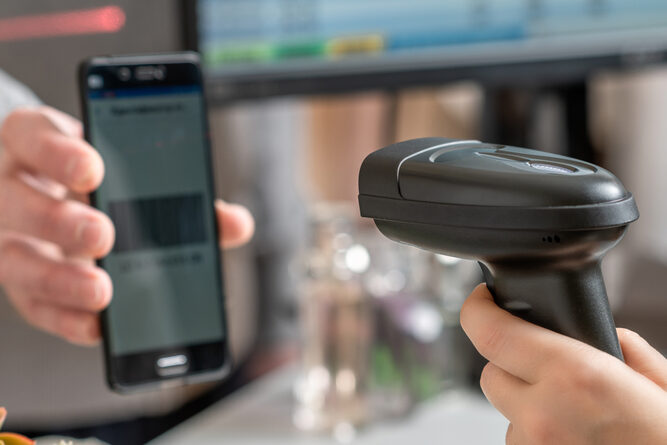
Once at the retailer, present the barcode to the cashier, who will scan it, and then you can complete your payment. Remember, you will only be able to pay the preset amount indicated on the payment barcode.